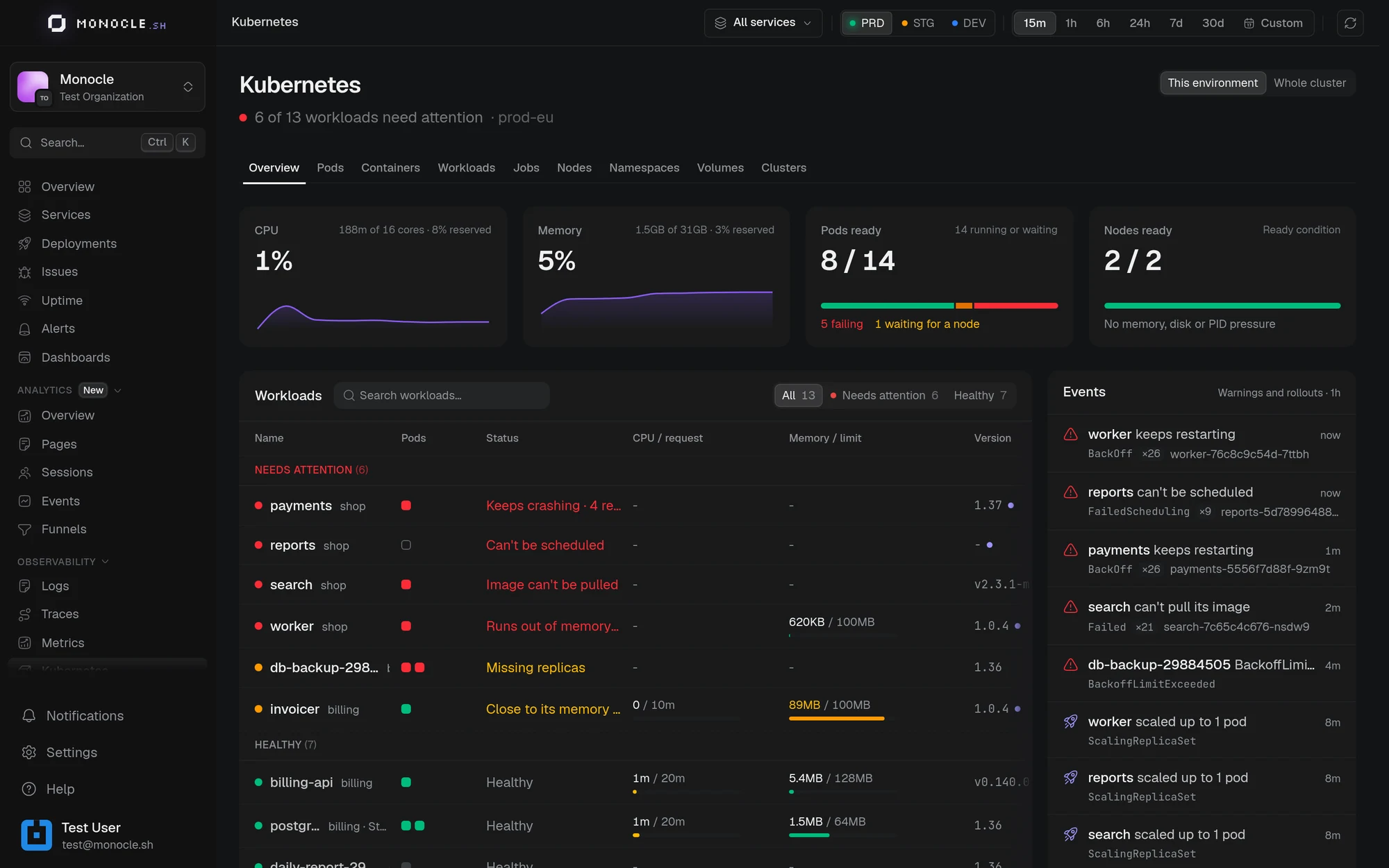
The Kubernetes page shows the state of your clusters: what runs, what fails and why, and how much CPU and memory each workload uses. A Monocle agent, installed in each cluster with Helm, sends this data. To install it, see Connect a cluster.
Kubernetes monitoring is in early access. If the Kubernetes page is not in your sidebar, ask support to turn it on for your account.
Requirements
- Kubernetes 1.33 or later. Older versions are not supported.
- Helm 3.8 or later.
- An admin of your Monocle organization, to connect the cluster.
The agent has read-only access to your cluster and no access to your Secrets. It runs one pod on each node, which requests 50m of CPU and 128 MiB of memory.
Who sees a cluster
A cluster belongs to your organization, not to a project, because one cluster often runs the services of several projects. Admins and members with access to every project see clusters. Only admins connect and delete them.
What you see
- Overview: the health of the cluster, the workloads that need attention, and the latest events.
- Workloads, Pods, Containers, Jobs, Nodes, Namespaces, and Volumes: each resource with its state, restarts, and usage.
- A panel for each resource, with its metrics, its container logs, and the traces of the services it runs.
Monocle names the problems it finds, such as Keeps crashing, Runs out of memory, Image can't be pulled, or Can't be scheduled, and tells you where to look next.
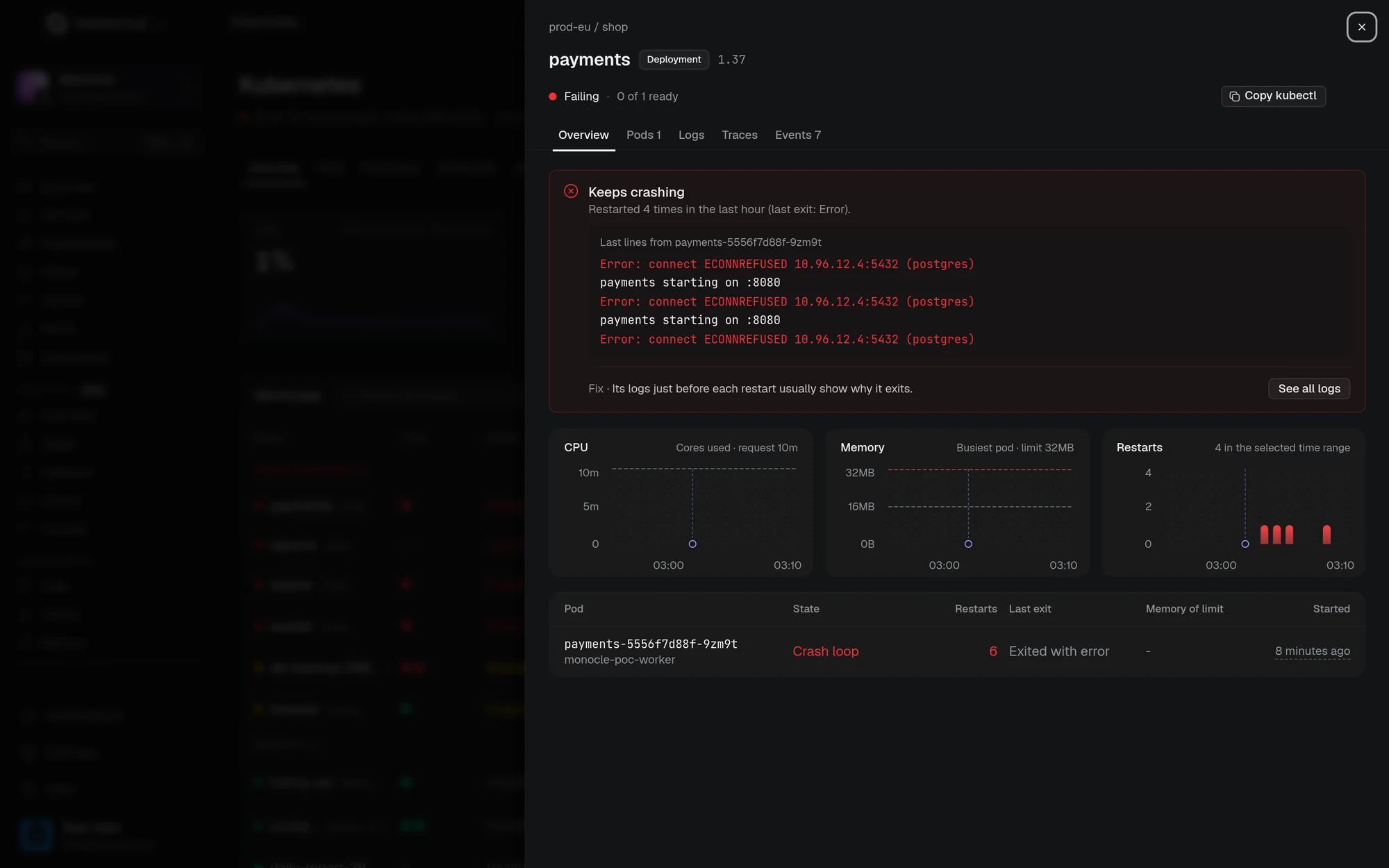
The This environment scope keeps the namespaces that run the services of your current environment. Whole cluster shows everything.
Choose which logs are collected
The agent collects the logs of every container except those in the kube-system namespace. To stop collecting a workload's logs, annotate its pods with monocle.sh/logs: "false". To skip namespaces, pods, or containers, or to drop lines such as health checks or debug logs, see the chart's README.
Ask your AI assistant
The Monocle MCP server has two read-only tools, list_kubernetes_resources and get_kubernetes_resource. Ask your assistant what is failing in the cluster, or why a pod keeps restarting.