The Users page lists the authenticated users of your application with their activity. When a customer reports a problem, find them here to see exactly which requests they made and which ones failed.
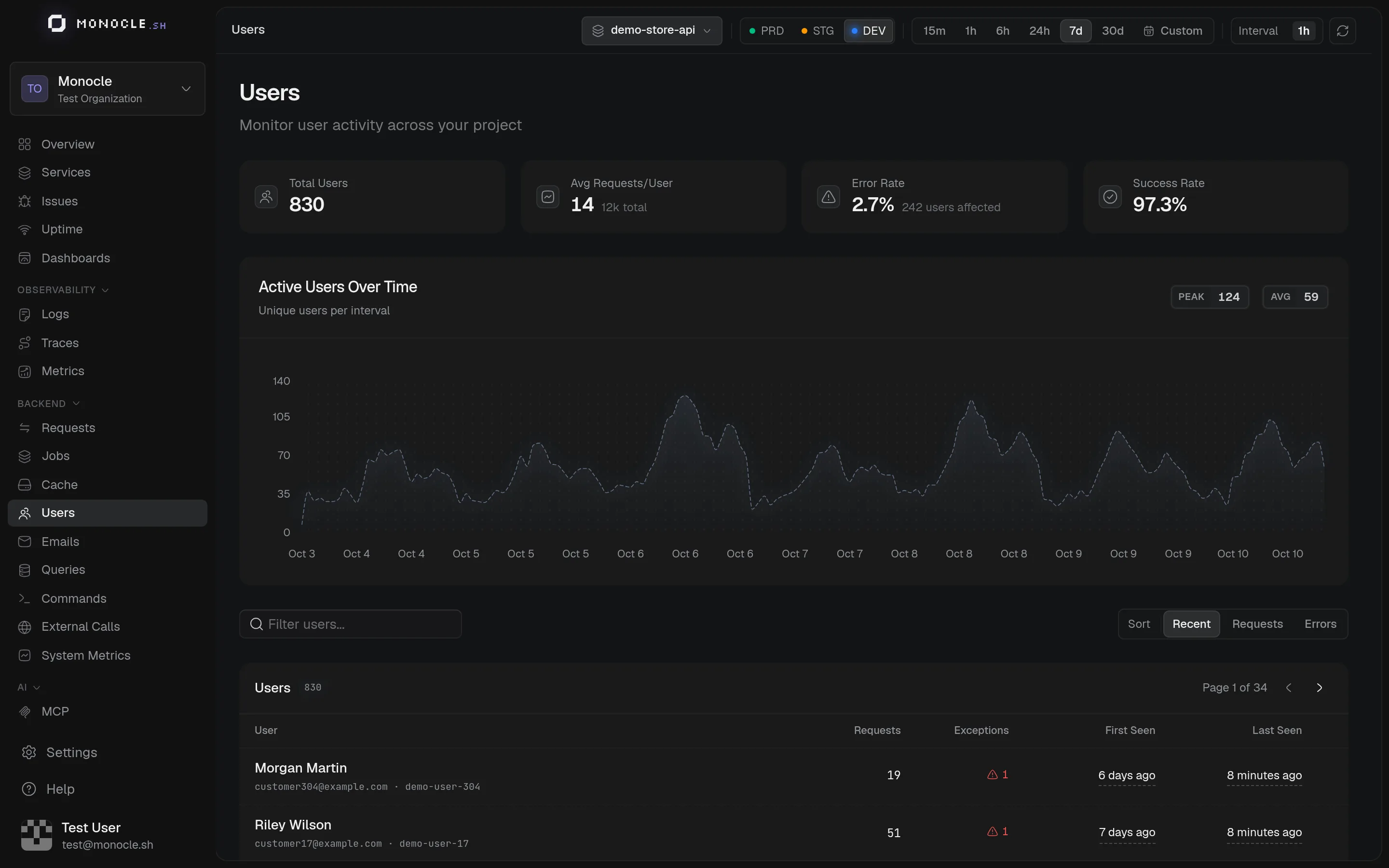
What you see
- Total Users, Avg Requests/User, Error Rate, and Success Rate
- Active Users Over Time: unique users per interval
- The list of users with their number of requests, server errors (5xx responses), and first and last visit
Search users by name, email, or ID.
User details
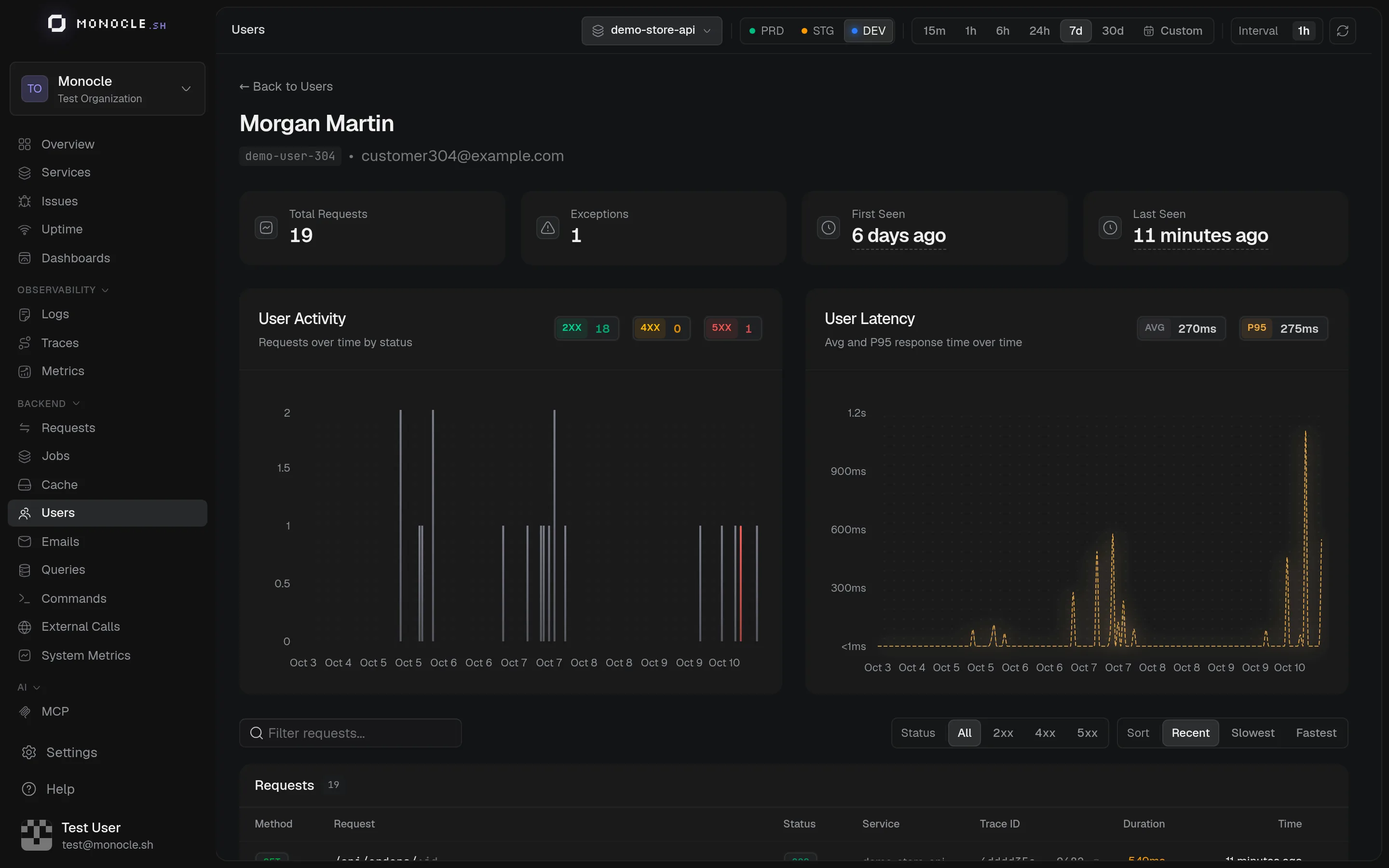
A user's page shows their activity by status code, the latency they experienced, and every request they made, with a link to its trace.
Setup
Users are identified by the user.id attribute on server spans. user.email and user.name are used for display. Requests without a user.id are not counted.
With the AdonisJS agent, call Monocle.setUser() in your authentication middleware. See Identify users.
On this page, the error rate counts responses with a status of 400 or above, while the exceptions column counts 5xx responses.