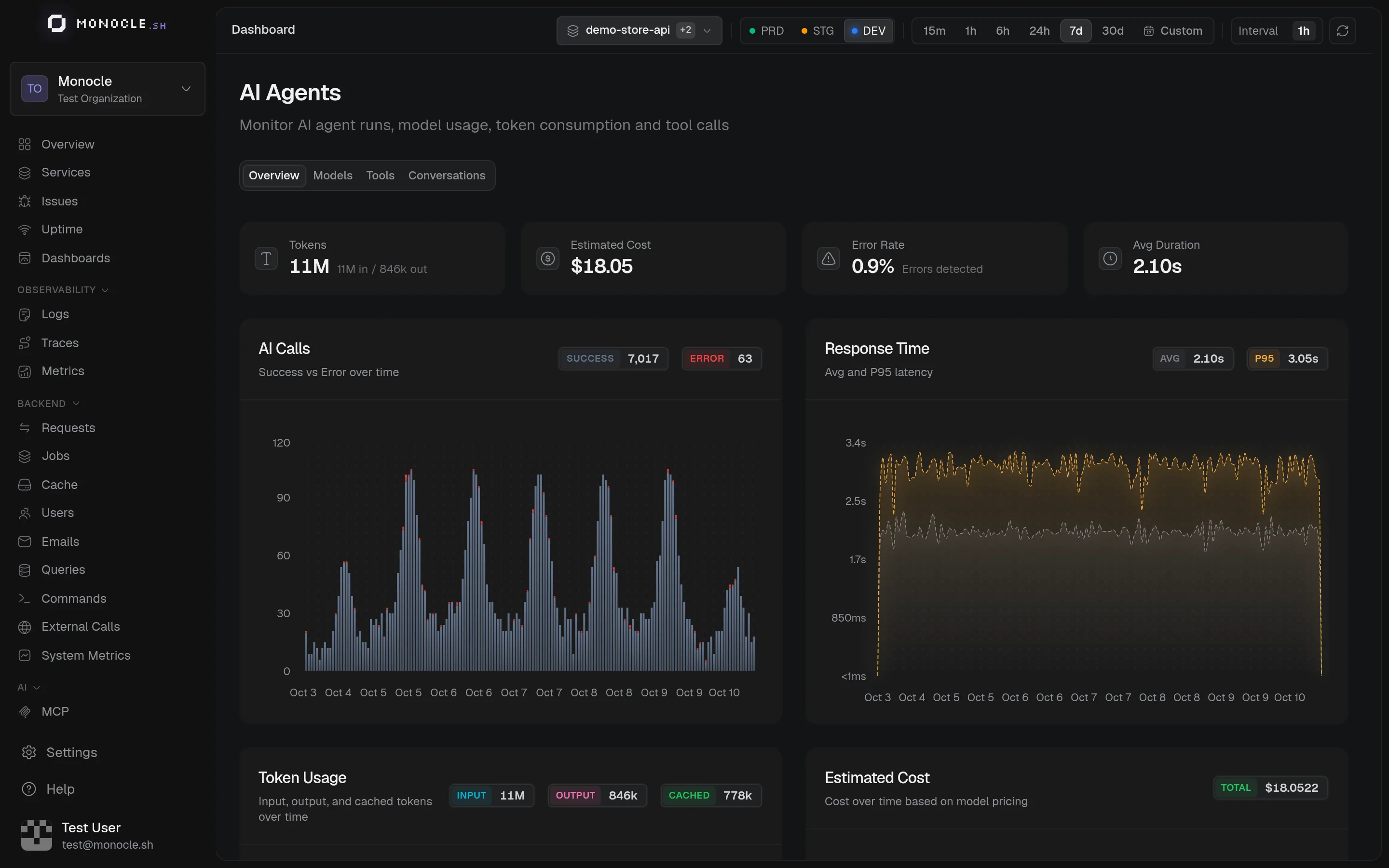
Monocle provides a dedicated AI Agents dashboard for monitoring your application's AI activity. Track LLM calls, tool usage, token consumption, estimated costs, and full conversation flows.
What Monocle tracks
The dashboard has four tabs:
- Overview: total calls, token usage, estimated costs, and error rates at a glance
- Models: per-model breakdown with latency, token consumption, and cost
- Tools: tool call stats with success/error rates and duration
- Scorers: evaluation and scorer results with score distributions and explanations
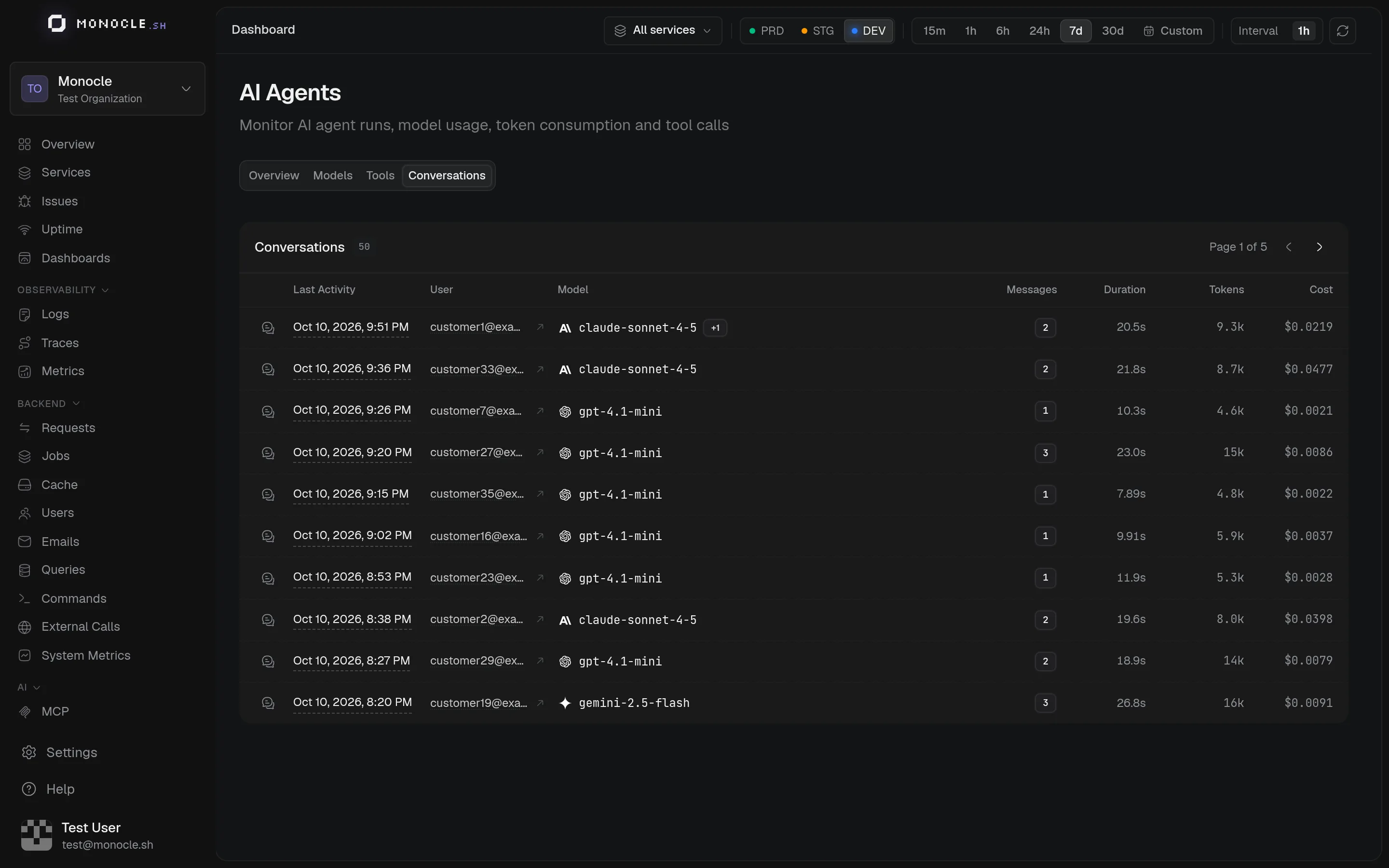
- Conversations: multi-turn conversation flows with drill-down into individual runs
Token tracking
Monocle captures detailed token usage per LLM call, including provider-specific breakdowns when available:
- Input and output tokens
- Cached input tokens (cache hits)
- Cache write tokens
- Reasoning tokens (for models like o1 and o3)
These metrics are used to estimate costs based on published model pricing.
Conversation tracking
You can group multiple LLM calls into a single conversation by setting a conversation ID. This enables the Conversations tab, where you can follow the full flow of an agentic loop: which models were called, which tools were invoked, and how many tokens were consumed at each step.
Trace viewer integration
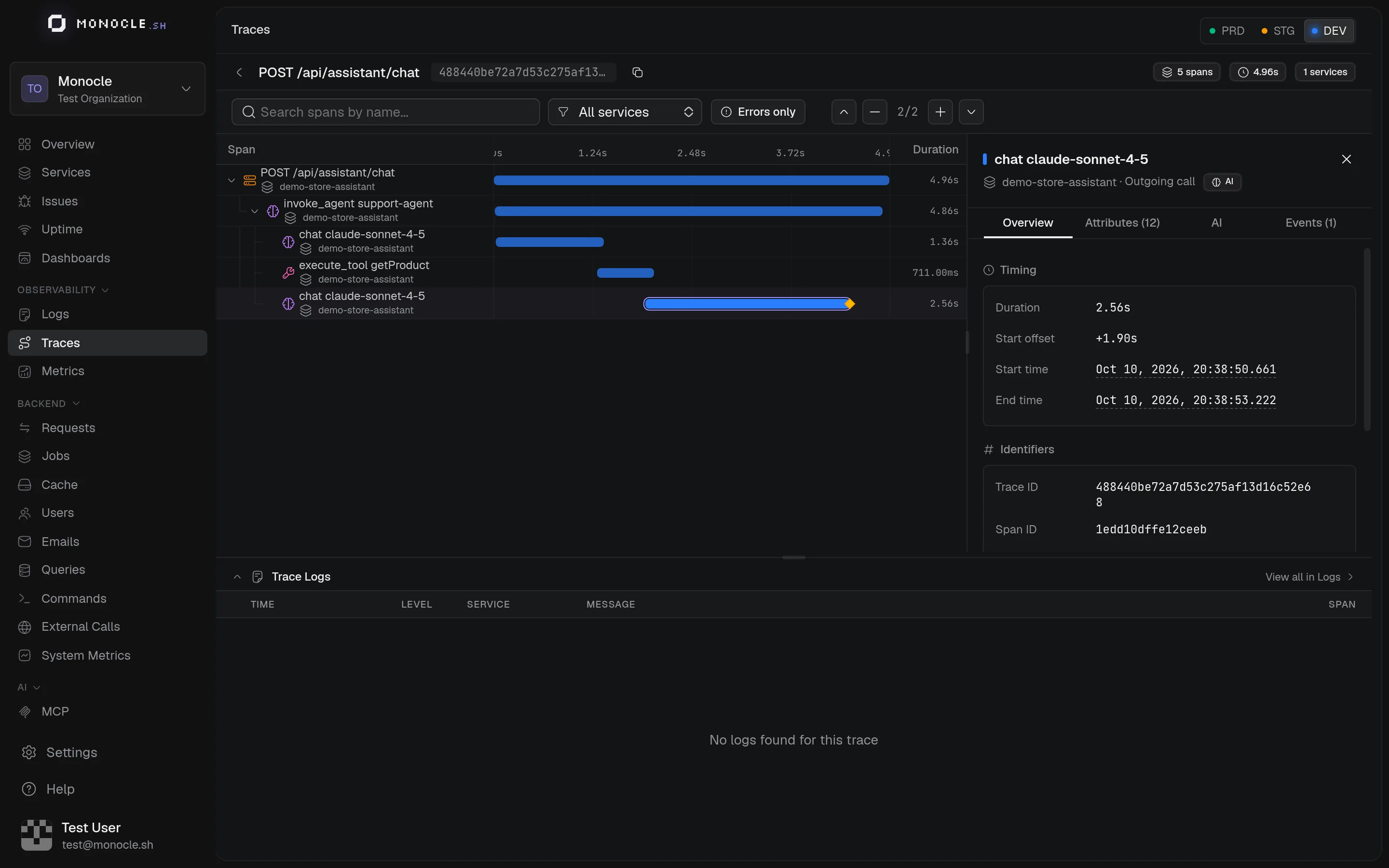
When viewing a trace that contains AI spans, an AI tab appears in the span details sidebar. It shows token breakdowns, input/output previews, and model information for that specific call.
Span attributes
All AI instrumentations must emit these attributes for the AI dashboard to work correctly.
Standard GenAI semconv attributes
These follow the official OpenTelemetry GenAI Semantic Conventions:
| Attribute | Description |
|---|---|
gen_ai.operation.name | Operation type (chat, generate_content, text_completion, invoke_agent, execute_tool, etc.) |
gen_ai.system | LLM provider name |
gen_ai.request.model | Requested model ID |
gen_ai.response.model | Model ID used in response |
gen_ai.response.id | Provider response ID |
gen_ai.response.finish_reasons | Finish reasons array |
gen_ai.request.temperature | Temperature setting |
gen_ai.request.max_tokens | Max tokens setting |
gen_ai.request.top_p | Top-p setting |
Token usage attributes
| Attribute | Description |
|---|---|
gen_ai.usage.input_tokens | Input tokens consumed |
gen_ai.usage.output_tokens | Output tokens generated |
gen_ai.usage.total_tokens | Computed total (input + output) |
gen_ai.usage.input_tokens.cached | Cached/cache-hit input tokens |
gen_ai.usage.input_tokens.cache_write | Cache write tokens |
gen_ai.usage.output_tokens.reasoning | Reasoning tokens |
Tool call attributes
| Attribute | Description |
|---|---|
gen_ai.tool.name | Tool name |
gen_ai.tool.call.id | Tool call ID |
gen_ai.tool.type | Always "function" |
Evaluation result attributes
AI evaluations and scorer results should be emitted as span events named gen_ai.evaluation.result. The event name is a Monocle convention; the attributes below reuse the OpenTelemetry GenAI namespace.
The core attributes follow the official OpenTelemetry GenAI attribute registry:
| Attribute | Description |
|---|---|
gen_ai.evaluation.name | Evaluation or scorer name |
gen_ai.evaluation.score.value | Numeric score value |
gen_ai.evaluation.score.label | Optional score label such as pass, warning, or fail |
gen_ai.evaluation.explanation | Human-readable explanation for the score |
gen_ai.response.id | Provider response ID being evaluated, when available |
Monocle also recognizes these gen_ai.evaluation.* extensions for richer scorer dashboards:
| Attribute | Description |
|---|---|
gen_ai.evaluation.id | Unique evaluation result ID |
gen_ai.evaluation.scorer.id | Stable scorer identifier |
gen_ai.evaluation.scorer.name | Display name for the scorer. Falls back to gen_ai.evaluation.name |
gen_ai.evaluation.scorer.version | Scorer version |
gen_ai.evaluation.source | Source of the score, for example live, offline, or manual |
gen_ai.evaluation.target.trace_id | Trace ID of the evaluated AI run |
gen_ai.evaluation.target.span_id | Span ID of the evaluated AI run |
gen_ai.evaluation.target.type | Type of target being evaluated, for example agent, llm, tool, or workflow |
gen_ai.evaluation.target.name | Name of the evaluated target |
gen_ai.evaluation.trace_id | Trace ID of the scoring/evaluation run, when scoring is traced separately |
gen_ai.evaluation.metadata | JSON-encoded scorer metadata |
Monocle attributes
These custom attributes power specific dashboard features:
| Attribute | Dashboard Feature |
|---|---|
gen_ai.conversation.id | Conversations tab, grouping multi-turn interactions |
gen_ai.response.model | Models tab, per-model cost and usage breakdown |
gen_ai.tool.name | Tools tab, per-tool call stats and error rates |
gen_ai.usage.*_tokens | Token consumption charts and cost estimation |
gen_ai.usage.input_tokens.cached | Cache hit rate display and cost savings calculation |
gen_ai.function_id | Pipeline name display |
ai.streaming | Distinguishing streaming vs non-streaming calls |
Supported SDKs
Getting started
Each instrumentation page covers setup with the AdonisJS agent and with a standalone OpenTelemetry SDK.