A service is one deployable part of a project: an API, a worker, a frontend. The Services page lists them with their recent activity, and each service page holds its DSN and SDK setup instructions.
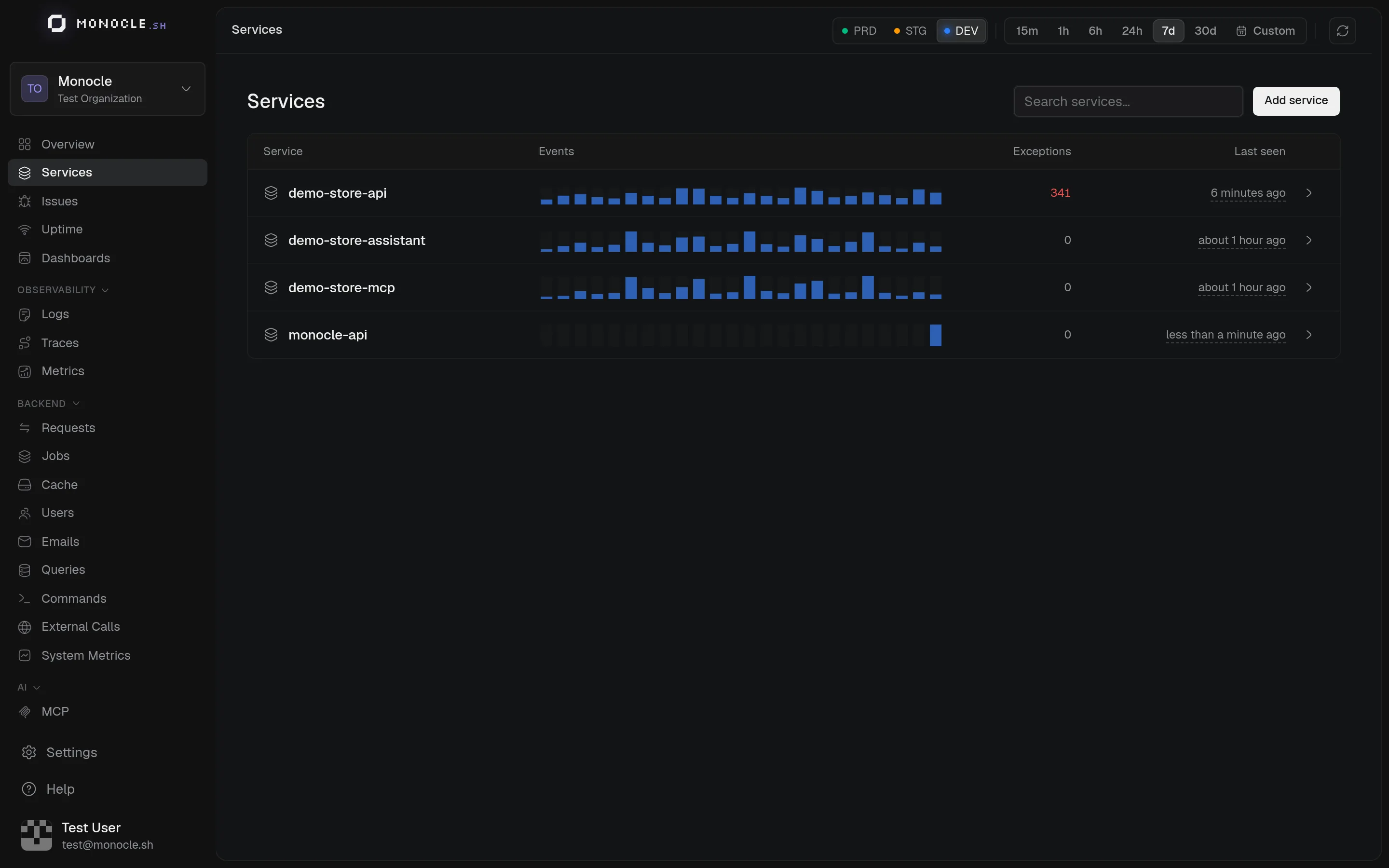
The services list
| Column | Shows |
|---|---|
| Service | Icon, name, and the telemetry name when it differs |
| Events | Spans and log records received in the selected time range |
| Exceptions | Exceptions reported by the service in the same range |
| Last seen | When the service last sent data to this environment |
Services belong to the project, so the same list is shared by all environments. Activity is shown for the selected environment.
Services that send data without being registered, for example with a legacy project API key, appear with the label detected from telemetry. Open one and click Configure service to manage it like any other.
Add a service
- Click Add service.
- Choose an icon and a Service name. If the service already sends data, reuse its current
service.nameso its history stays together. - On the service page, pick AdonisJS or Browser under SDK connection. Monocle creates the DSN and shows the setup instructions for that SDK.
You need the project manager role to add, edit, or delete services.
Names
A service has two names:
- The Telemetry name is the
service.namestored with every span and log. It is set when the service is created and can't be changed. - The Name is what the dashboard displays. You can rename it at any time without breaking anything.
When an SDK sends data with a DSN, Monocle always files it under the DSN's service, whatever name the application reports.
DSN and SDKs
Each service has one DSN, shared by its server and browser SDKs. Click Copy DSN to copy it again at any time. The list below it shows when each DSN was last used, which is a quick way to check that an application is connected.
Website restrictions
For browser apps, Website restrictions (optional) limits which websites can send data with the DSN. Add one origin per line, such as https://shop.example.com, up to 50. Leave it empty to accept all websites.
The check relies on the Origin header sent by browsers. It filters browser traffic but does not authenticate the sender, so it does not replace keeping your server keys secret. Server SDKs don't send an Origin header and are not affected.
Delete a service
Delete service hides the service in every environment and revokes its DSN. Applications using that DSN stop sending data. Historical data is kept.