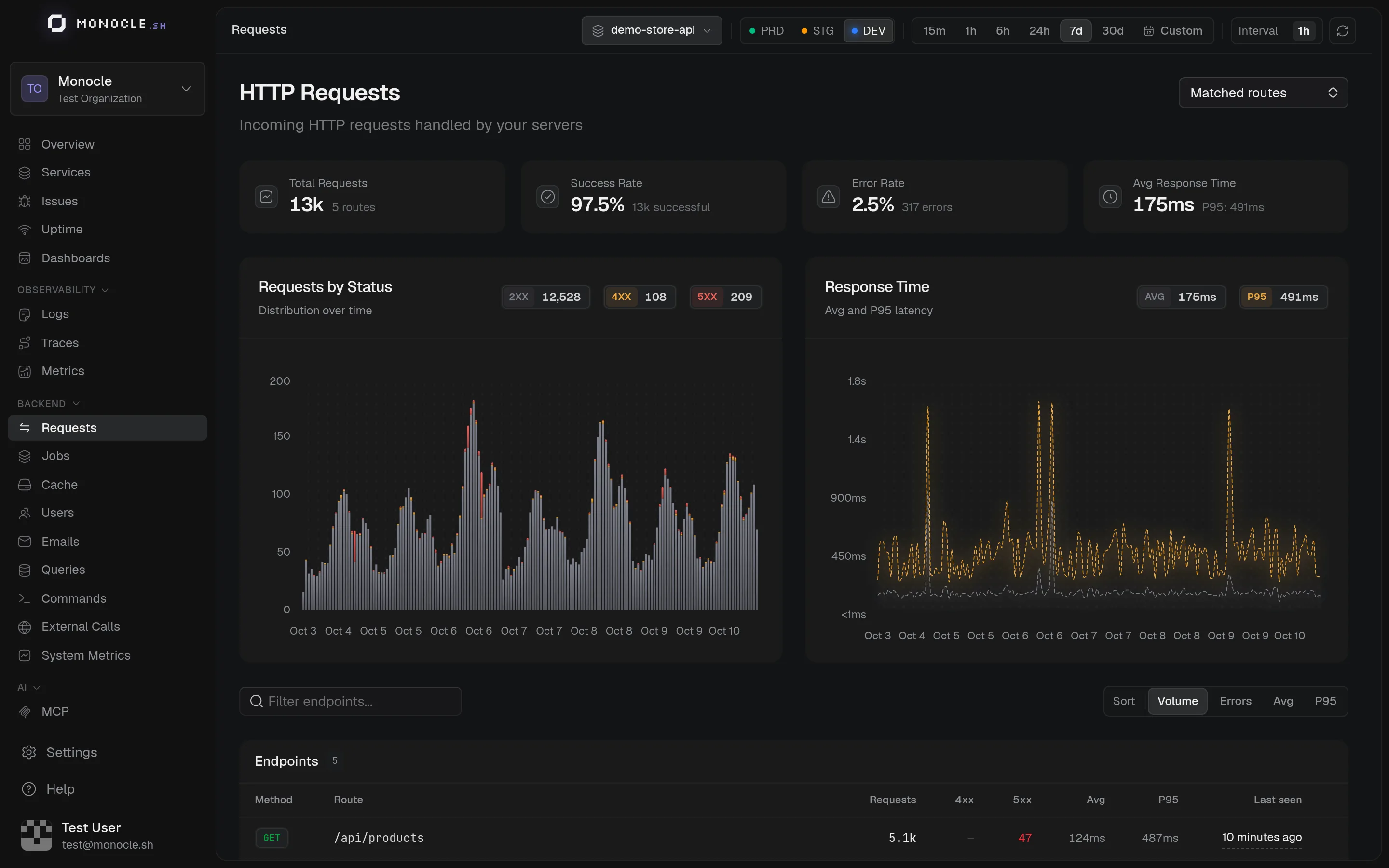
The Requests page shows the incoming HTTP traffic handled by your servers, grouped by endpoint.
Overview
- Total Requests, Success Rate, Error Rate, and Avg Response Time with the P95 for the selected range
- Requests by Status: volume over time split into 2xx, 4xx, and 5xx
- Response Time: average and P95 over time
Endpoints
Requests are grouped by service, HTTP method, and route, so GET /users/1 and GET /users/2 both count for GET /users/:id. When two services handle the same route, each one has its own row, and a Service column tells them apart. The column is hidden when exactly one service is selected. For each endpoint, the table shows the number of requests, 4xx and 5xx responses, average and P95 duration, and when it was last called. Sort by volume, errors, average, or P95 to find the endpoints to work on.
The dropdown at the top right chooses what to list:
- Matched routes: requests that matched a route of your router. This is the default.
- Unmatched paths: requests that matched no route, grouped by raw path. They are often bots, scanners, or broken clients.
- All endpoints: both.
Endpoint details
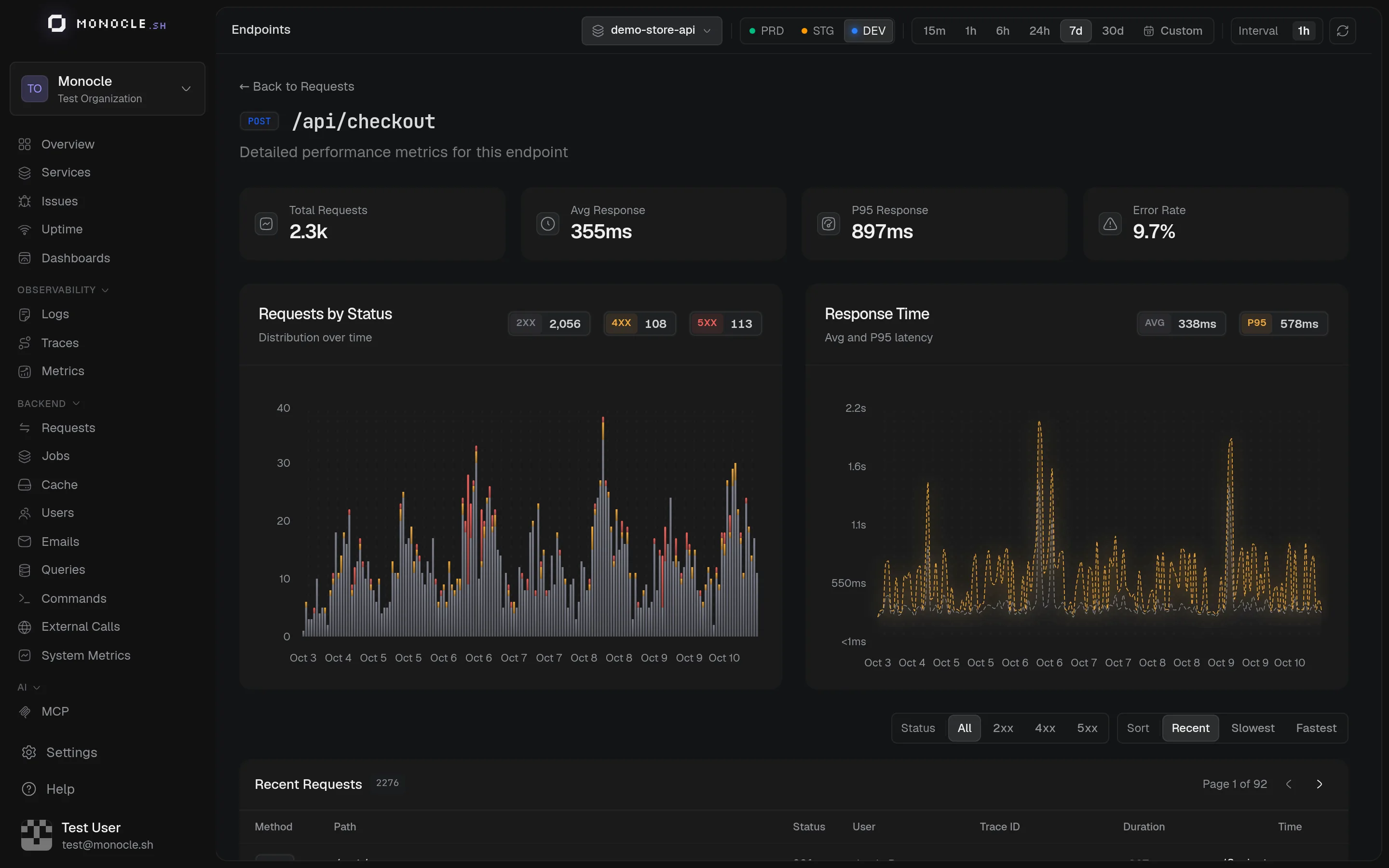
Click an endpoint to see its own stats and charts, and its Recent Requests: path, status, user, duration, and a link to each trace. Filter by status class and sort by date or duration to find the slowest calls. The header names the service of the endpoint. A link without a service to a route handled by several services opens Choose a service first.
To get notified when an endpoint gets slow or starts failing, click Create alert. See Alerts.
What is counted
A request is a server span with an HTTP method. OPTIONS requests and long-lived connections (server-sent events, WebSockets) are left out so they don't skew latency.
The route comes from the http.route attribute, set by your framework's instrumentation. Without it, requests are grouped by raw path and listed under Unmatched paths. See Semantic conventions.