Now, what about
localhost?
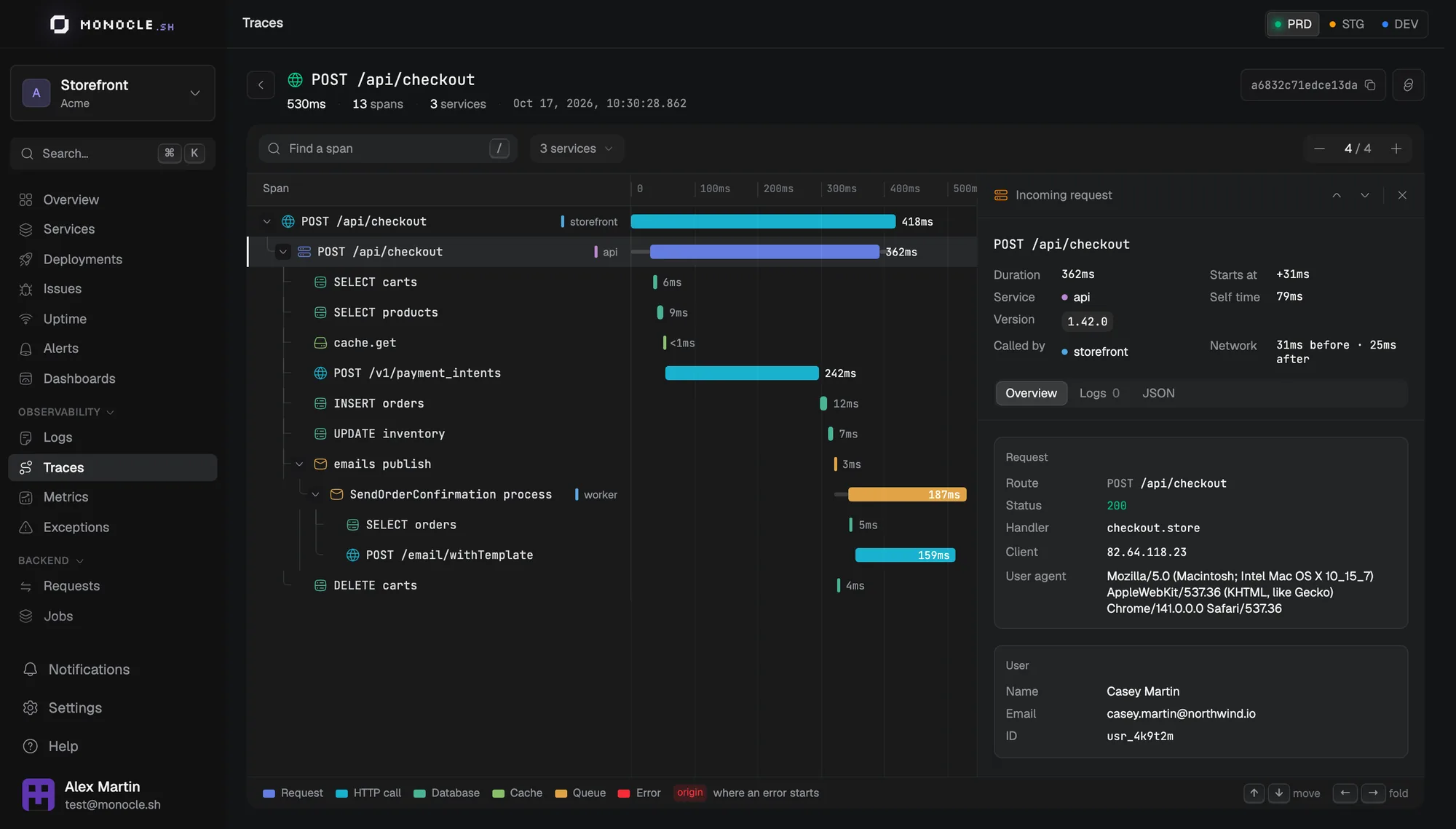
Monocle Studio shows what your app does while you code: every request, query, log, and exception, live on localhost. Your app uses the same agent as in production, nothing to change.
New data appears instantly
SQL and external APIs
For your coding agent
macOS, Linux, Windows
One command, no config
In development, the agent sends telemetry to Studio instead of the cloud. Studio stores it locally and serves the dashboard and the OTLP endpoint on one port.
- The generated config/monocle.ts already turns dev mode on during node ace serve
- Data stays on your machine and persists between restarts
- Prefer a native app? The desktop app lives in the tray and updates itself
npm install -D @monocle.sh/studio @monocle.sh/cli

# Start Studio on http://localhost:4200
npx monocle studio dev

# Then run your app as usual
node ace serve --hmr
Your backend, like browser DevTools
Every request comes with its full span waterfall. See the queries it ran, the APIs it called, and the logs it wrote, as soon as you hit save and reload.
- Spot slow queries before they reach production
- Outgoing HTTP calls with their domain, status, and duration
- Background jobs and Ace commands traced like requests
Give your coding agent eyes on your app
Studio runs an MCP server and ships a CLI, so Claude Code, Cursor, or Codex can read your local traces, logs, and errors on their own instead of you pasting them.
- Add the MCP server in one command, for 15+ clients
- Query traces, logs, and errors from the terminal, as JSON if needed
- install-agents adds a Studio section to your AGENTS.md or CLAUDE.md
# Connect your coding agent to Studio
pnpm dlx add-mcp http://localhost:4200/mcp -n monocle-studio -a claude-code

# Or let it use the CLI
monocle studio errors
monocle studio traces --service my-api --format json

# Teach your agents about Studio
monocle studio install-agentsPlugs into your stack
macOS
Apple Silicon and Intel
Linux
AppImage (x64)
Windows
Installer (x64)
Claude Code
Studio MCP and CLI
Cursor
Studio MCP
Codex
Studio MCP and CLI
See what your apps
are really doing.
Traces, logs, errors and metrics for every app you ship. Bring it all into focus.